Stop walking around to check.
They snap a photo when it’s done. You check from the couch.
Kids know what to do, show you it’s done, and earn toward payday. You stop chasing and checking.
Built by a mom of three who needed this in her own house.
Free pilot. No card or automatic charges.
AFTER-SCHOOL RESET
One little job. One clear next step.
Ready for you to check.
Less nagging. More independence. A real payday lesson.
They snap a photo when it’s done. You check from the couch.
Approve all, or check each part.
Practice earning and saving.
Separate routines from chores. See what needs you.
Add children. Choose steps and optional allowance.
Read-aloud steps, checklists, timers, and photos.
Approve, or send a redo tip.
Try one sample check-in.
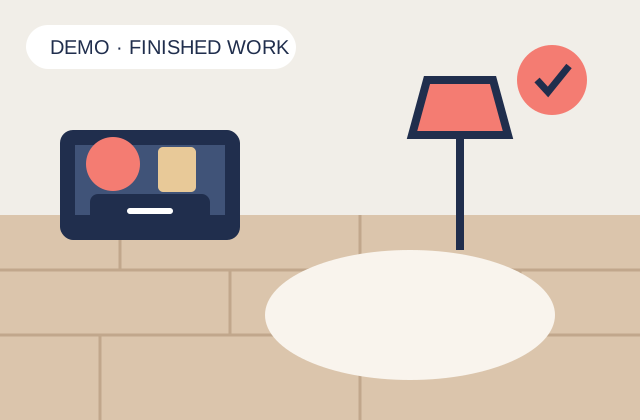
MIA · BEDROOM FLOOR
I was running a business, raising three kids, and carrying every reminder. I needed them to own their part.
Our payday system made effort visible. The kids could choose cash or save for something they wanted.
MyPart puts that system in one place: less chasing for me, more independence for them.
Try it at home. Tell us what helps.
No. A parent can create a chart on a shared device and let kids open their routines and chores. Parent approvals are protected by a PIN. Another parent can open the chart with a parent code and PIN.
Yes. Suggestions are a starting point. Add or remove chores, set timers, choose photo proof, and turn allowance off to use routines and chores without money or payday screens.
Each section—Morning Routine, Chores, or Night Routine—has its own allowance amount. Your child finishes every required step, then they pick: cash or savings. You approve the work. One unfinished or unapproved step means that section’s allowance is not earned yet. Other completed sections still count. Parents choose each child’s daily amount and weekly or every-two-week payday. The daily amount is split across scheduled sections. Parents give the cash or savings goal and record the payment; MyPart never transfers money. Earnings become available on their saved payday and carry forward until paid. Work already started keeps its saved amount and payday when settings change. Turning allowance off applies to new work and preserves existing savings. You can edit required steps or turn allowance off. Timer bonuses are optional: one attempt per step per day. Start the timer and mark the work finished before it ends; take any photo afterward. The timer keeps running when you leave or refresh. After approval, the bonus goes to cash. An optional weekly bonus is earned after five fully approved days in that bonus week, with all three sections completed and cash or savings selected. Bonuses start at $0.
No. The chart tracks cash, gift-card savings (for example, Roblox, Nintendo, Target, or Amazon), and a custom goal such as a toy, outing, or game. Parents give the cash or savings goal themselves and record the payout after payday.
Only devices with a valid family access session can open photo proof through the app. Use pictures of finished chores, not children or personal care. See the pilot privacy information for storage and deletion details.
Save your backup card from the Parent dashboard. Lost it? Contact the pilot organizer.